Free GPT Image 2 Image Generator
Generate professional, ready-to-use images for free with Free GPT Image 2 Image Generator. Just type a brief description or provide a sample image, and the system delivers crisp text in multiple languages, realistic details, and consistent results suitable for product listings, advertisements, and online use.
Feedback
Loading...
All Tools
Browse AI tools

Seedance2.0
The Future of AI Video Is Here.

Free AI Video
100% Free AI Video Generator

Veo3.1
Create Stunning Videos with Veo3.1

Kling 3.0
Next-Gen AI Video Generator
Grok Video Generator
Create Videos from Text or Images with AI

Seedance 2.0
The Future of AI Video Is Here.
Sora2 AI
Advanced AI Video Generator for High-Quality Videos

Kling Motion Control
Turn reference images into amazing motion videos in minutes
AI Image Editor Examples
See what our AI Image Editor can do. Remove backgrounds, change styles, enhance photos instantly.
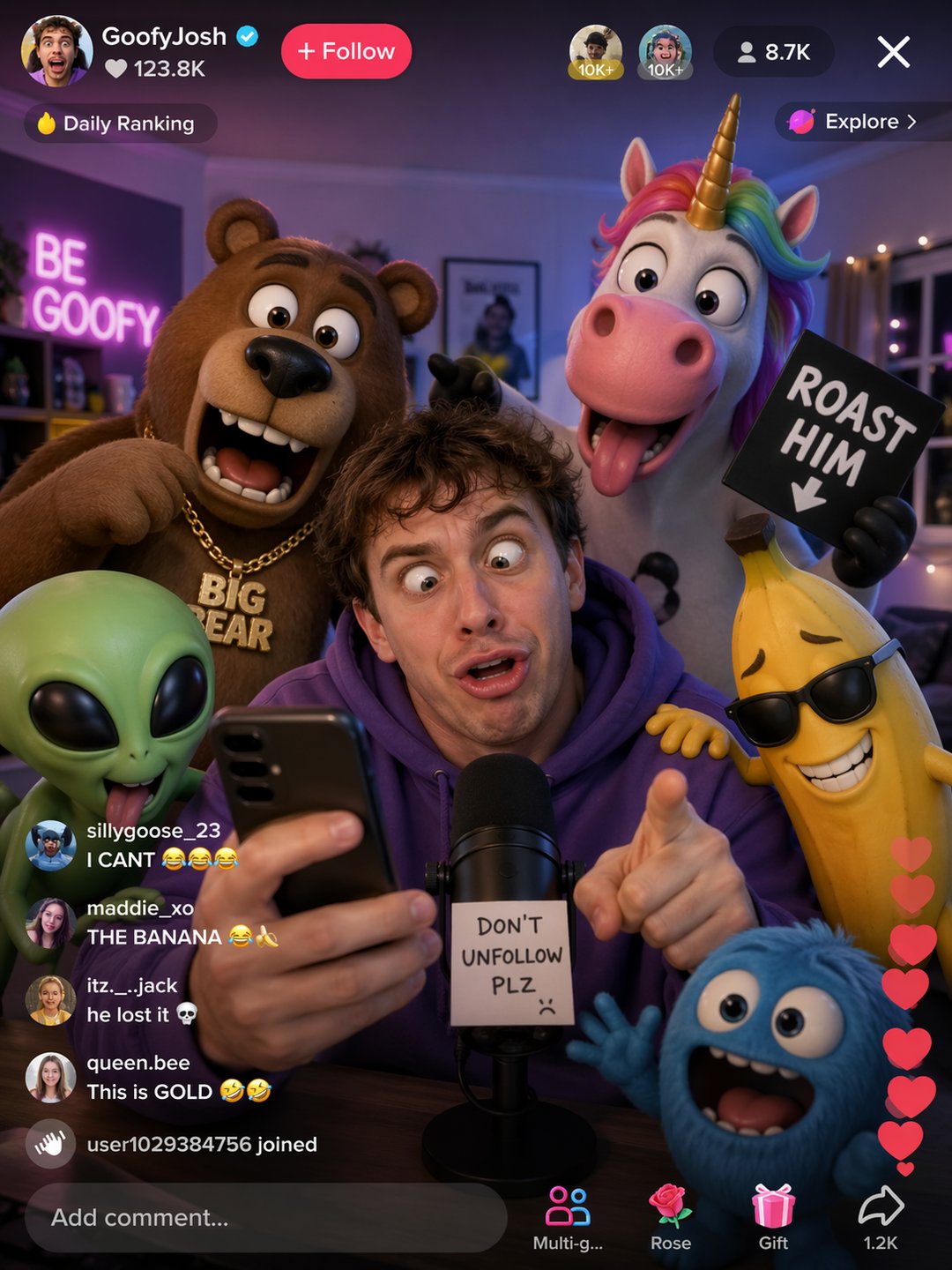


Create Multilingual Commercial Images with Free GPT Image 2 Image Generator
Free GPT Image 2 Image Generator merges context-aware image building with precise multilingual text output, generating ready-to-use visuals in less time. Ideal for product photography, promotional materials, and scalable variations that maintain brand consistency across assets.
- Accurate Text Across LanguagesThe tool handles English, Chinese, Japanese, Korean, and more, placing text naturally on surfaces with correct positioning and depth.
- Realistic Photo QualityAchieve lifelike illumination, mirror-like reflections, and accurate subject anatomy thanks to the photo-grade engine of Free GPT Image 2 Image Generator.
- Uniform and Reproducible OutputsMaintain identical characters, color schemes, and compositions across multiple generations with Free GPT Image 2 Image Generator's consistency features.
Why Choose GPT Image 2 AI Image Generator
GPT Image 2 AI Image Generator gives creators commercial‑grade output fast: accurate text rendering, world‑aware composition, and consistent visuals across iterations—so teams ship polished imagery with less rework.

Quick Start Guide for Free GPT Image 2 Image Generator
Follow three simple steps: describe your concept or upload an image, let the tool produce high-quality visuals, then save or create variations to maintain brand consistency.
Key Capabilities of Free GPT Image 2 Image Generator
Free GPT Image 2 Image Generator offers native text embedding, intelligent scene layout, photorealistic results, and flawless consistency for professional use.
Multilingual Text Rendering at Native Quality
Place text in multiple languages onto any surface or angle without artifacts, thanks to the tool's native rendering.
Intelligent Spatial Arrangement
The system automatically positions objects and text appropriately in complex layouts, ensuring dependable image outputs.
Photorealistic Quality
Generate realistic lighting, reflections, and fine details using the advanced synthesis of Free GPT Image 2 Image Generator.
Flawless Consistency Across Generations
Keep characters, clothing, and layouts identical from one output to the next for predictable brand assets.
Sequential Art & Storyboarding
Maintain visual continuity across frames, making it ideal for comics, storyboards, and animated sequences.
Production-Ready Export
Download high-resolution files suitable for print and digital media directly from the generator.
Common Questions About Free GPT Image 2 Image Generator
Find answers to frequently asked questions and best practices for leveraging Free GPT Image 2 Image Generator to create multilingual, ready-to-use visuals effectively.
What exactly does GPT Image 2 AI Image Generator do?
It's a free platform that creates commercial-quality images with accurate text rendering, scene understanding, and consistent outputs for product listings, ads, and social media.
Do I need any design experience?
No. The tool includes presets and templates so beginners can produce professional results without prior design skills.
Can it reduce my image production costs?
Yes. By automating repetitive tasks and batch processing, it cuts down time and expenses while maintaining high quality.
Which image formats can I upload and export?
Upload JPG or PNG files, and export high-resolution images optimized for web, marketplaces, and print. API access is also available for programmatic workflows.
Can I create variations after generating an image?
Absolutely. You can re-edit, generate multiple versions, and A/B test different designs to keep your campaigns consistent.
Is my product image data secure?
Yes. All images are processed securely, and enterprise plans offer additional data controls to meet compliance standards.
Begin Your Free Creation Journey with GPT Image 2 Image Generator
Use Free GPT Image 2 Image Generator to remove backgrounds, process multiple images at once, and export studio-grade content for digital and print projects faster.